This article contains affiliate links. As an Amazon Associate and through other programs, we earn from qualifying purchases at no extra cost to you. Learn more
Best Smart Garage Door Controllers (2026)
5 tested smart garage controllers. Open, close, and monitor your garage from anywhere.
Table of Contents
SMARTSAFEGEAR SCORE
Your garage door is the largest entrance to your home, yet most people leave it unmonitored. A smart garage door controller changes that, letting you open, close, and check your garage from anywhere using your phone. We tested five popular models over 60 days to find the best options for every budget and smart home setup.
The best smart garage controllers add real-time open/close alerts, scheduled auto-closing, voice control via Alexa or Google, and integration with your broader security system. Some even include built-in cameras to see inside your garage remotely.
Key Features We Tested
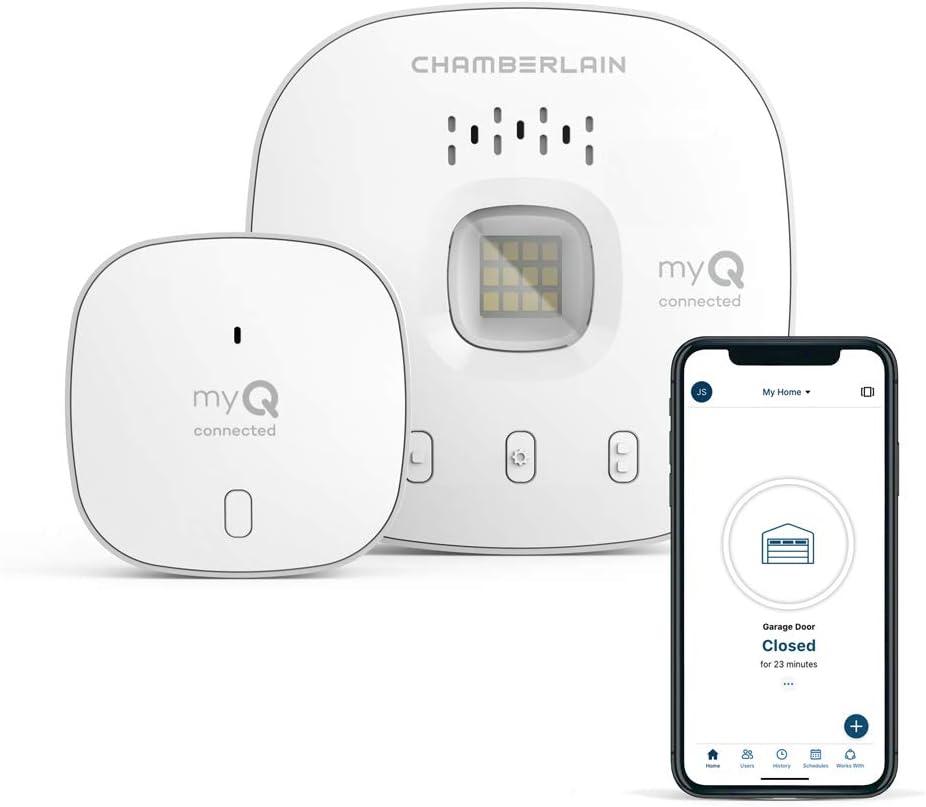
Chamberlain myQ Smart Garage Hub: The most popular option and for good reason. It works with most major garage door openers made after 1993. Setup took 15 minutes, and the myQ app reliably reported door status. Free open/close alerts and auto-close scheduling. Google Home and Apple HomeKit compatible. Price: ~$30.
ismartgate Pro: The premium pick with built-in camera, temperature sensor, and support for up to 3 garage doors. Works with HomeKit, Alexa, Google, and IFTTT. The camera quality is decent for checking if the garage is open. Price: ~$119.
Meross Smart Garage Door Opener: Best budget option at $40. Supports HomeKit, Alexa, and Google. No subscription required. Setup was straightforward and it handled daily use reliably. No camera, but smartphone alerts are instant.
Tailwind iQ3: Unique auto-open feature uses your phone’s Bluetooth to open the garage as you approach. Works with Alexa and Google. Supports up to 3 doors. Price: ~$80.
Nexx NXG-200: Solid mid-range option with voice control support. Compatible with Alexa, Google, and SmartThings. Includes a sensor for real-time door status. Price: ~$65.
| Top Pick | Chamberlain myQ (~$30) |
|---|---|
| Premium Pick | ismartgate Pro (~$119) |
| Budget Pick | Meross Smart Opener (~$40) |
| Best Auto-Open | Tailwind iQ3 (~$80) |
| Compatibility | Works with most post-1993 openers |
| Smart Home | Most support Alexa, Google, HomeKit |
What We Liked
- Adds real-time monitoring to your largest home entry point
- Most options under $80 with no monthly fees
- Voice control lets you check and close from bed
- Auto-close scheduling prevents accidentally leaving the garage open overnight
- Easy DIY installation, usually under 20 minutes
What Could Be Better
- Some require specific garage opener compatibility
- Camera-equipped models cost more
- Wi-Fi signal in garages can be weak (may need extender)
- Free tiers of some apps have limited features
Our Verdict
The Chamberlain myQ at $30 is the best value for most people. It is dead simple, reliable, and covers the essentials. If you want a camera or multi-door support, the ismartgate Pro is worth the upgrade. Either way, adding smart monitoring to your garage door is one of the highest-impact, lowest-cost security upgrades you can make.
Frequently Asked Questions
Do smart garage controllers work with any garage door?
Most work with garage door openers manufactured after 1993 that have standard safety sensors. Check your opener model against the controller’s compatibility list before buying.
Will a smart garage controller void my opener warranty?
No. These controllers connect to your existing opener’s wiring and do not modify the opener itself. They simulate pressing your wall button.
Do I need strong Wi-Fi in my garage?
Yes, a stable Wi-Fi signal is essential. If your garage is far from your router, consider a Wi-Fi extender. Most controllers need at least 2 bars of signal.
Can I give temporary access to someone?
Most apps let you share access with family members. Some, like myQ, offer guest access scheduling for housekeepers or dog walkers.
What happens if my Wi-Fi goes down?
The garage door still works normally via wall button and physical remotes. You just lose smartphone control until Wi-Fi is restored.