This article contains affiliate links. As an Amazon Associate and through other programs, we earn from qualifying purchases at no extra cost to you. Learn more
Whether you’re moving into a new home, upgrading your current setup, or just want peace of mind, this room-by-room security checklist covers everything you need. Check off each item as you go — by the end, your home will be significantly more secure.
Table of Contents
💡 Pro Tip
This checklist works for both smart and traditional security setups. Items marked with 📱 indicate where a smart device can automate or improve the task.
🚪 Front Door & Entry Points
🪟 Windows
🏡 Exterior & Perimeter
📱 Smart Security System
🔥 Safety Essentials (Non-Negotiable)
🌐 Network & Cyber Security
📋 Quarterly Maintenance Schedule
| Task | Frequency | Time Needed |
|---|---|---|
| Test all smoke/CO detectors | Monthly | 5 min |
| Check camera angles and clean lenses | Quarterly | 15 min |
| Replace batteries in sensors and locks | As needed (alerts) | 10 min |
| Update smart device firmware | Monthly | 10 min |
| Test smart lock codes and access | Quarterly | 5 min |
| Review and delete old camera footage | Monthly | 10 min |
| Check fire extinguisher pressure gauge | Annually | 2 min |
Budget Breakdown
💰 Complete Home Security Setup Costs
Budget Setup
$150–$300
Camera + doorbell + sensors
Premium Setup
$500–$1,000
Multiple cameras + lock + alarm + sensors
See our detailed cost breakdown: Full Home Security Under $200 | Subscription Cost Calculator
Keep Reading
Essential Devices for Every Room
One device for each key area of your home. As an Amazon Associate, we earn from qualifying purchases.
SMARTSAFEGEAR SCORE
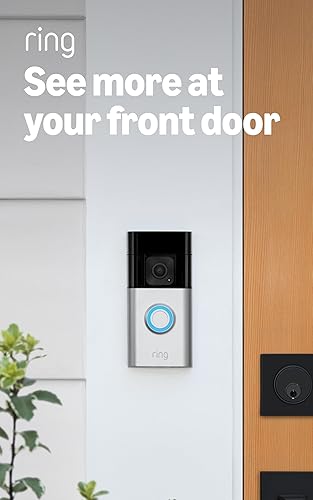
Ring Battery Doorbell Plus — Front Door Essential
~$100 · Entry Point #1
The most important single security device. See every visitor, delivery, and potential intruder before they reach your door.
Check Price on Amazon
Wyze Cam Pan v3 — Living Room Monitor
~$34 · 360° Full Room Coverage
Single camera covers the entire room. Motion tracking follows movement. Two-way audio lets you check in on kids, pets, or elderly family.
Check Price on Amazon
August Wi-Fi Smart Lock — Front/Back Door Lock
~$150 · Auto-Lock Security
Never worry about forgotten unlocked doors. Auto-lock behind you, remote unlock for guests, activity log for peace of mind.
Check Price on Amazon
Blink Outdoor 4 — Backyard/Garage Camera
~$80 · Wireless + Weather-Proof
2-year battery life means no wiring to outdoor locations. Cover the backyard, garage, or driveway with zero installation hassle.
Check Price on Amazon
Smart Plug (2-Pack) — Bedroom/Kitchen Safety
~$15 · Auto-Off Timers
Schedule space heaters, curling irons, and kitchen appliances to auto-shut-off. Prevent fires from forgotten devices. Voice control via Alexa.
Check Price on AmazonFrequently Asked Questions About Home Security Checklists
What are the most vulnerable entry points in a home?
According to FBI statistics, 34% of burglars enter through the front door, 23% through a first-floor window, and 22% through the back door. The garage is also a common entry point at 9%. Focus your security devices on these four areas first for maximum protection.
How often should I review my home security setup?
Review your setup every 6 months. Check camera angles (have trees or bushes grown to block views?), test all sensors and alarms, update firmware on all devices, review and revoke old smart lock access codes, and replace batteries proactively before they die.
What is the single most important security device for any home?
A video doorbell. It covers the most common entry point (front door), provides both deterrence and evidence, allows you to communicate with visitors remotely, and triggers package delivery alerts. If you can only buy one device, make it a video doorbell. Our doorbell buyer’s guide will help you choose.