This article contains affiliate links. As an Amazon Associate and through other programs, we earn from qualifying purchases at no extra cost to you. Learn more
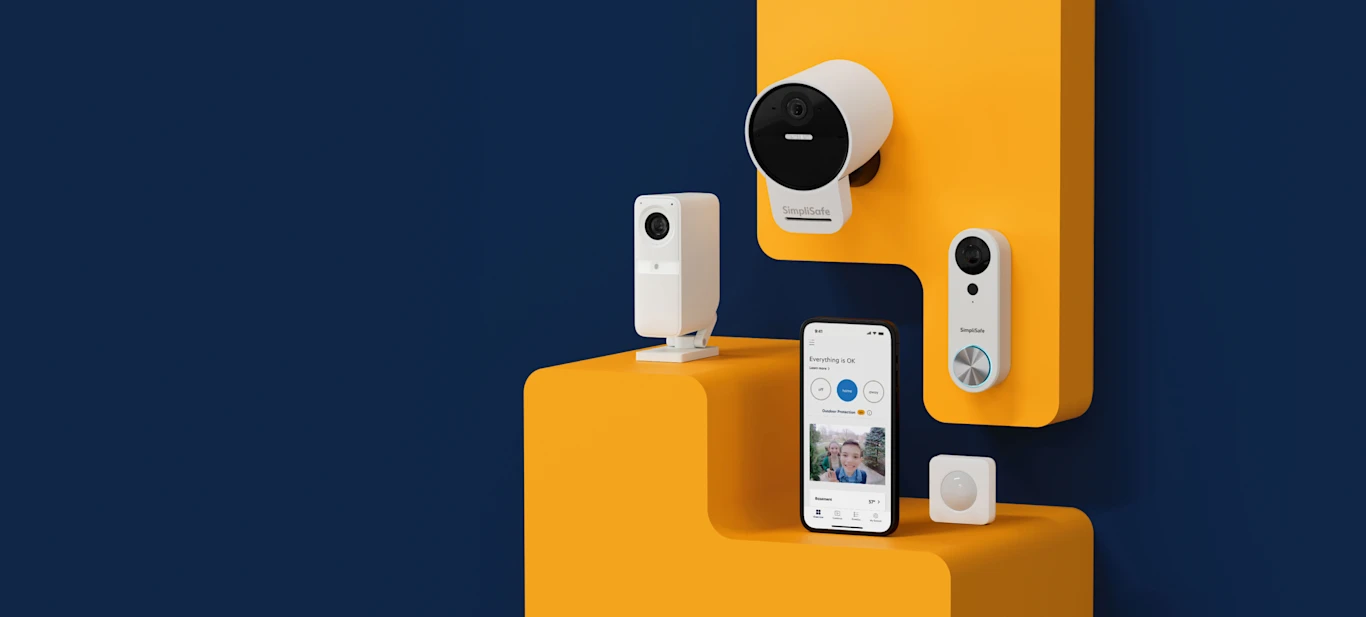
Look, I get it. The smart home security market is overwhelming. Every brand claims their camera is “the best,” every doorbell promises “crystal clear video,” and suddenly you’re staring at 47 browser tabs wondering if you even need any of this stuff.
Short answer: yes, you do. But you don’t need to spend a fortune to get real protection. After months of testing cameras, doorbells, sensors, and alarm systems in real homes (including my own), I can tell you that the sweet spot for most people is somewhere between $50-200 for a complete starter setup.
The biggest game-changer in recent years? You don’t need a professional installation anymore. The days of scheduling a $500 ADT appointment are over. Today’s smart security devices are genuinely plug-and-play — and the ones that aren’t usually take under 15 minutes with a screwdriver.
Every solid home security setup has three layers. Skip one and you’re leaving a gap.
🔒 Layer 1: See Everything (Cameras + Doorbells)
This is your eyes and ears. A video doorbell covers your front door — the #1 entry point for package thieves and break-ins. Indoor cameras cover the spaces you care about most: living room, nursery, back door, garage.
Our top picks: The Wyze Cam v3 is unbeatable for the price (under $25 with color night vision), and the Ring Battery Doorbell is the gold standard for front door coverage. We did a full deep-dive in our Best Security Cameras Under $100 guide.
🔓 Layer 2: Know When Something’s Wrong (Sensors)
Cameras are great, but they can’t tell you a window just opened at 3 AM while you’re sleeping. That’s where contact sensors and motion detectors come in. Stick them on every door and ground-floor window, and your phone lights up the instant something opens that shouldn’t.
Our top pick: The Ring Alarm Contact Sensors are dead simple to install and have 3+ year battery life. Pair them with the Ring Alarm system for full automation.
🚨 Layer 3: Sound the Alarm (Complete Systems)
When layers 1 and 2 detect something, layer 3 takes action. A full alarm system ties everything together — sirens, instant alerts to your phone, and optional 24/7 professional monitoring that calls the police on your behalf.
Our top pick: The Ring Alarm 5-Piece Kit is the best DIY alarm system on the market. No contracts, expandable to 100+ devices, and optional monitoring from just $5/month. It’s the system I personally use. Full review in our Essential Smart Home Devices guide.
After testing all the major players, here’s my honest breakdown of who each brand is really best for.
The biggest mistake people make when building a smart security setup is mixing too many ecosystems. Your Ring doorbell talks to Alexa. Your Nest camera talks to Google. Your Wyze cam talks to… both, kinda. And suddenly nothing works together smoothly.
My recommendation? Pick one ecosystem and commit to it. Here’s how I break it down:
Go Ring + Blink if: You’re an Alexa household. You want the deepest smart home integration, the most accessories, and the option for affordable professional monitoring. Ring’s ecosystem is the most complete — doorbell, cameras, alarm, sensors, smart lighting — all controlled from one app.
Go Google Nest if: You value AI smarts over everything else. Nest’s on-device processing for facial recognition and intelligent alerts (person vs. package vs. animal vs. vehicle) is genuinely impressive. The 3 hours of free cloud storage without a subscription is a nice perk too.
Go Wyze if: You want maximum coverage on a tight budget. Wyze cameras pack premium features at budget prices, and they work with both Alexa and Google. The trade-off is the app can feel a bit cluttered, and their ecosystem isn’t as deep as Ring’s.
If I had to build a whole-home security system today with a $200 budget, here’s exactly what I’d get.
SMARTSAFEGEAR SCORE
Ring Battery Doorbell — Your Front Door Covered
This is where I’d start. Your front door is your most vulnerable point — it’s where packages get stolen, where strangers approach, and where most break-ins begin. The Ring Battery Doorbell gives you instant HD alerts, two-way talk, and zero wiring required.
Wyze Cam v3 (x2) — Cover Your Key Areas
Two of these gives you indoor/outdoor coverage at an insane price. Put one watching your back door and one in the main living area. Color night vision, IP65 weather resistance, and free 14-day cloud storage. Two cameras for under $50 — that’s hard to beat.
Ring Alarm 5-Piece Kit — Tie It All Together
Once you’ve got eyes on your entries, the Ring Alarm system is the brain that connects everything. Base station, keypad, contact sensor, motion detector, and range extender — all in one box. This is what turns individual gadgets into a real security system.
I’ve seen these same mistakes over and over. Save yourself the headache.
Mistake #1: Buying cameras but no sensors. Cameras are reactive — they record what happened. Sensors are proactive — they tell you the instant something is happening. You need both. A $10 contact sensor on your back door could be the difference between catching a break-in in progress and watching it on playback the next morning.
Mistake #2: Skipping the doorbell camera. “I already have a camera pointing at my door.” It’s not the same. A doorbell camera gives you two-way talk, visitor alerts even when you’re not home, and the ability to answer the door from your phone. It also deters porch pirates who know they’re being watched and recorded.
Mistake #3: Mixing ecosystems randomly. Your Ring doorbell won’t show up on your Google Home Hub. Your Nest camera won’t talk to your Echo Show (well). Pick a lane — Alexa or Google — and build within that ecosystem. You’ll save money on subscriptions too since most brands bundle their cloud plans.
Mistake #4: Ignoring WiFi coverage. Your shiny new outdoor camera is useless if your WiFi doesn’t reach the garage. Before buying anything, test your WiFi signal where you plan to install each device. A $30 WiFi extender can save you from a $100 camera that constantly drops connection.
📚 Read Our In-Depth Guides
📹 Best Smart Security Cameras Under $100 (2026 Edition) → 🛠 Essential Smart Home Devices for Enhanced Security →🚀 Build Your Security Setup Today
Every product below has been personally tested and recommended by our team. Click any product to see the latest price.
Disclosure: Smart Safe Gear is a participant in the Amazon Services LLC Associates Program. When you purchase through our links, we may earn a small commission at no extra cost to you. This helps us keep testing and reviewing the latest security gear so you don’t have to.
Keep Reading
Frequently Asked Questions About Smart Home Security
What is a smart home security system?
A smart home security system uses Wi-Fi-connected devices like cameras, video doorbells, smart locks, motion sensors, and alarm hubs that you control through smartphone apps. Unlike traditional systems, smart security lets you monitor your home in real-time from anywhere, receive instant alerts, and automate responses — all without professional installation or long-term contracts.
Is smart home security worth the investment?
Yes. Studies show that visible security cameras reduce burglary risk by up to 50%. Smart security systems also lower homeowner’s insurance premiums by 5-20% with many providers. A basic smart security setup costs $100-$200 upfront with minimal ongoing costs, compared to traditional systems that charge $30-$60/month for multi-year contracts.
How do I get started with smart home security?
Start with a video doorbell and one indoor camera — these two devices cover your main entry point and primary living area. Once you’re comfortable with the app and setup, expand with outdoor cameras, smart locks, and window/door sensors. Our room-by-room checklist guides you through the full process.